
 PageCheck
PageCheck 1.0.0 is coming to the Atlassian Marketplace
PageCheck's first Marketplace release shows under each page's title whether the page reads as AI-written, human-written or mixed, and which passages read which way.
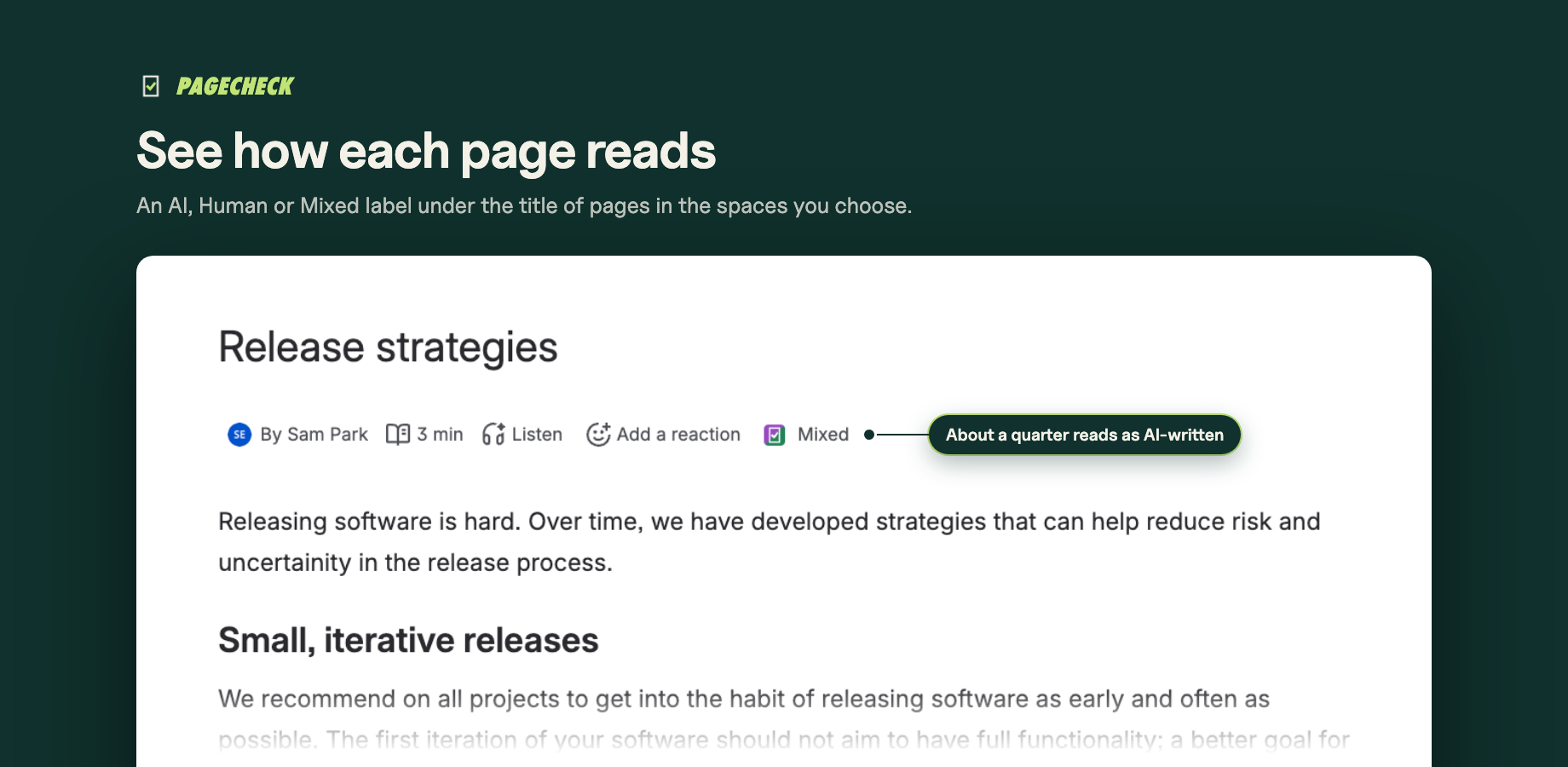
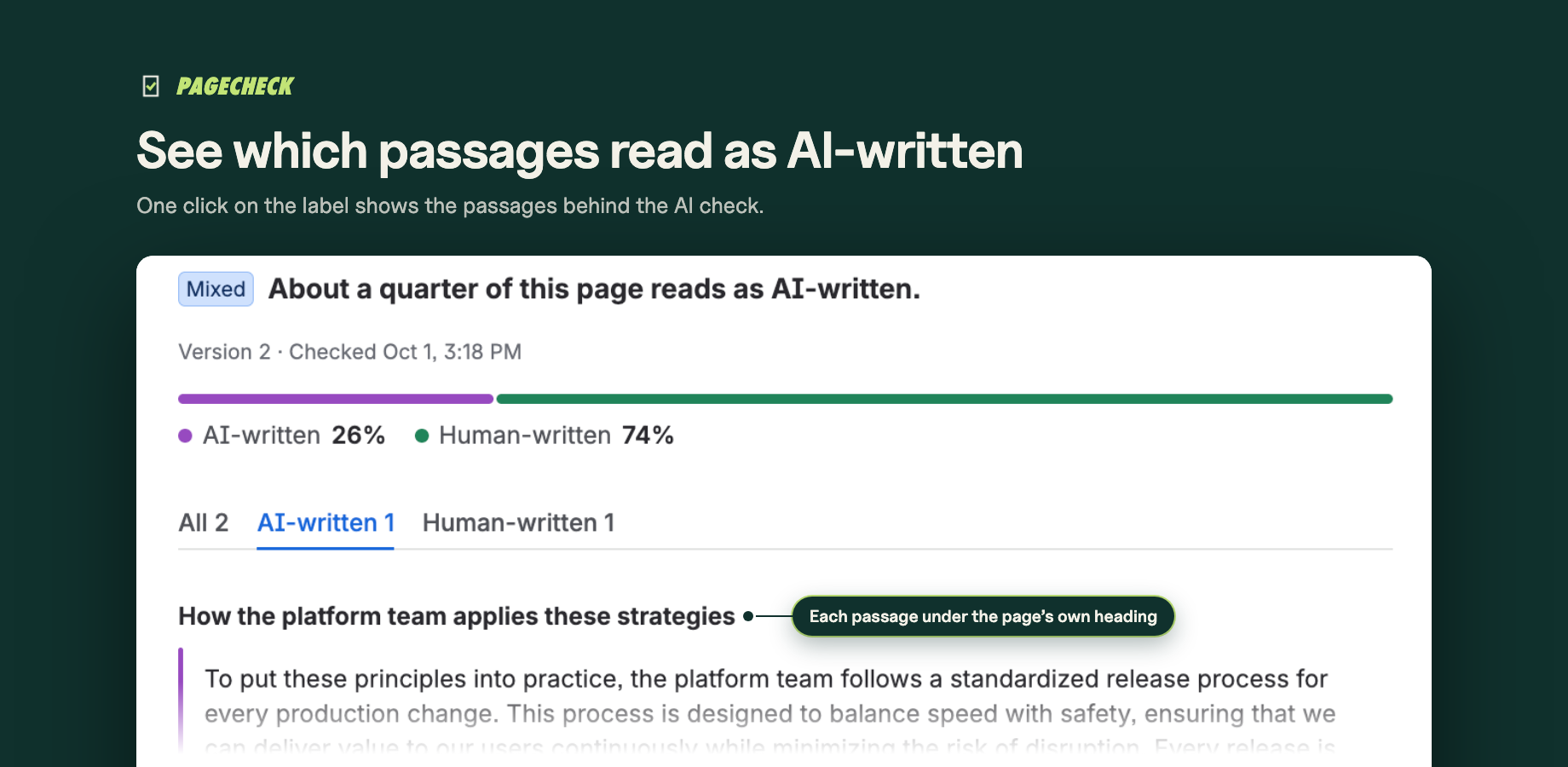
- A label under every page's title. In the spaces you choose, each page shows how it reads: AI, Human or Mixed, from an AI check that runs inside your Atlassian site.
- The authorship view. Click the label to see the page's passages as cards under its own headings, with All, AI-written and Human-written tabs.
- Automatic or on request. With automatic checks on, an edit is checked when it's published and a new page when someone first opens it; with them off, when a reader clicks Check AI.
- Only new text is checked. An edit that doesn't change the text reuses the earlier result; failed checks and short pages do not count against your monthly AI checks.
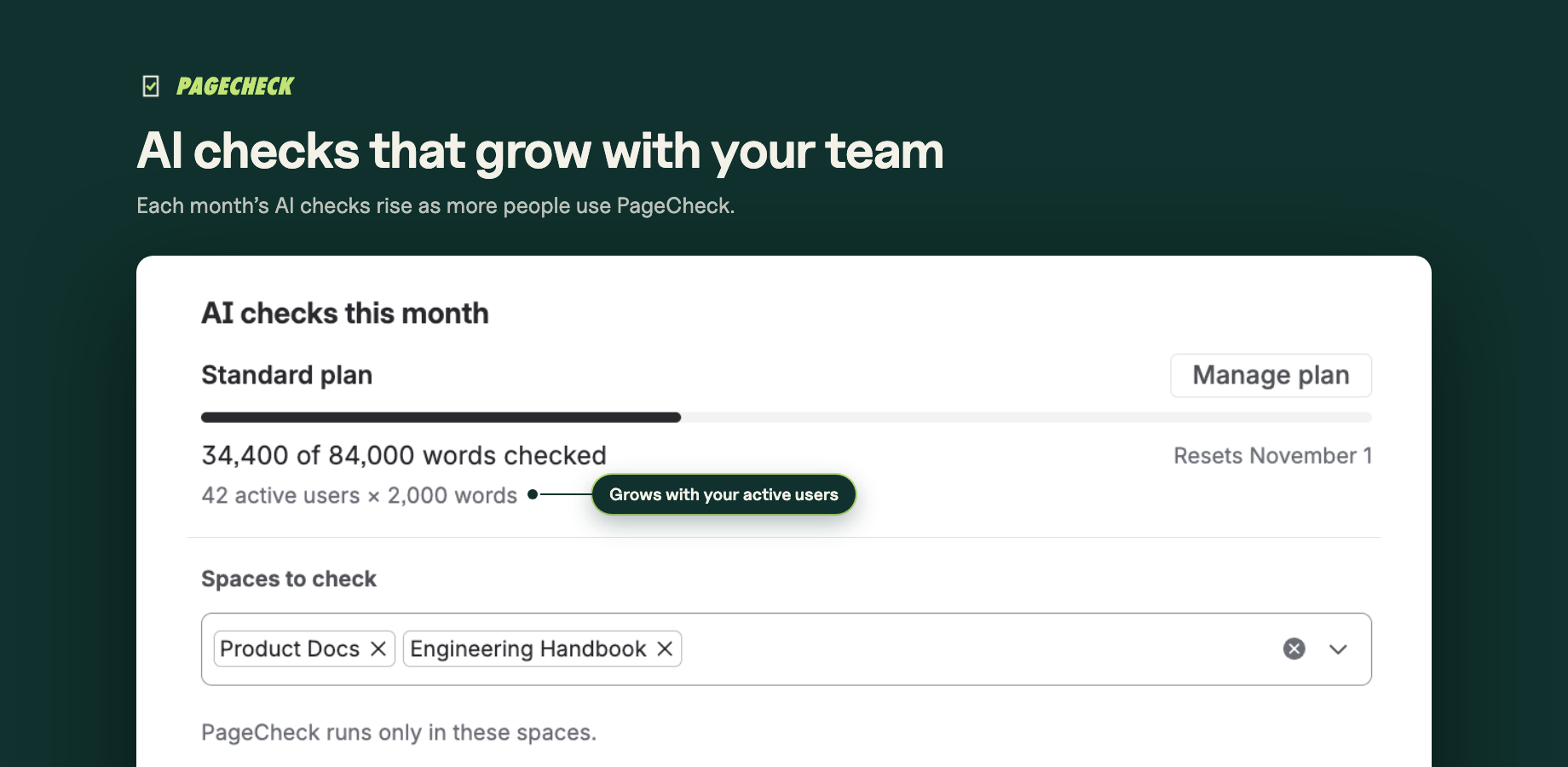
- AI checks that grow with your team. Monthly AI checks grow with the number of people using your spaces, and admins see what is left for the month.
- One settings page. Admins choose spaces and automatic checks in one settings page, and see the month's use.
- Runs on Atlassian. PageCheck runs entirely on Atlassian's platform: page text never leaves your site. Every result checks the reader's view permission, and PageCheck stores no account records.